[TIL/React] 2023/10/05
반응형 🟢px(픽셀)과 같은 고정 단위를 쓰면 위와 같이 처참한 결과를 얻을 수 있다. 코드를 수정했다.수정 후 모습 🟢코드에 대한 설명이 필요한데, 오늘은 도저히 힘이 나지 않는다. handleDirectClick 함수를 통해, 로그인이 되어 있지 않다면 logi
반응형 🟢
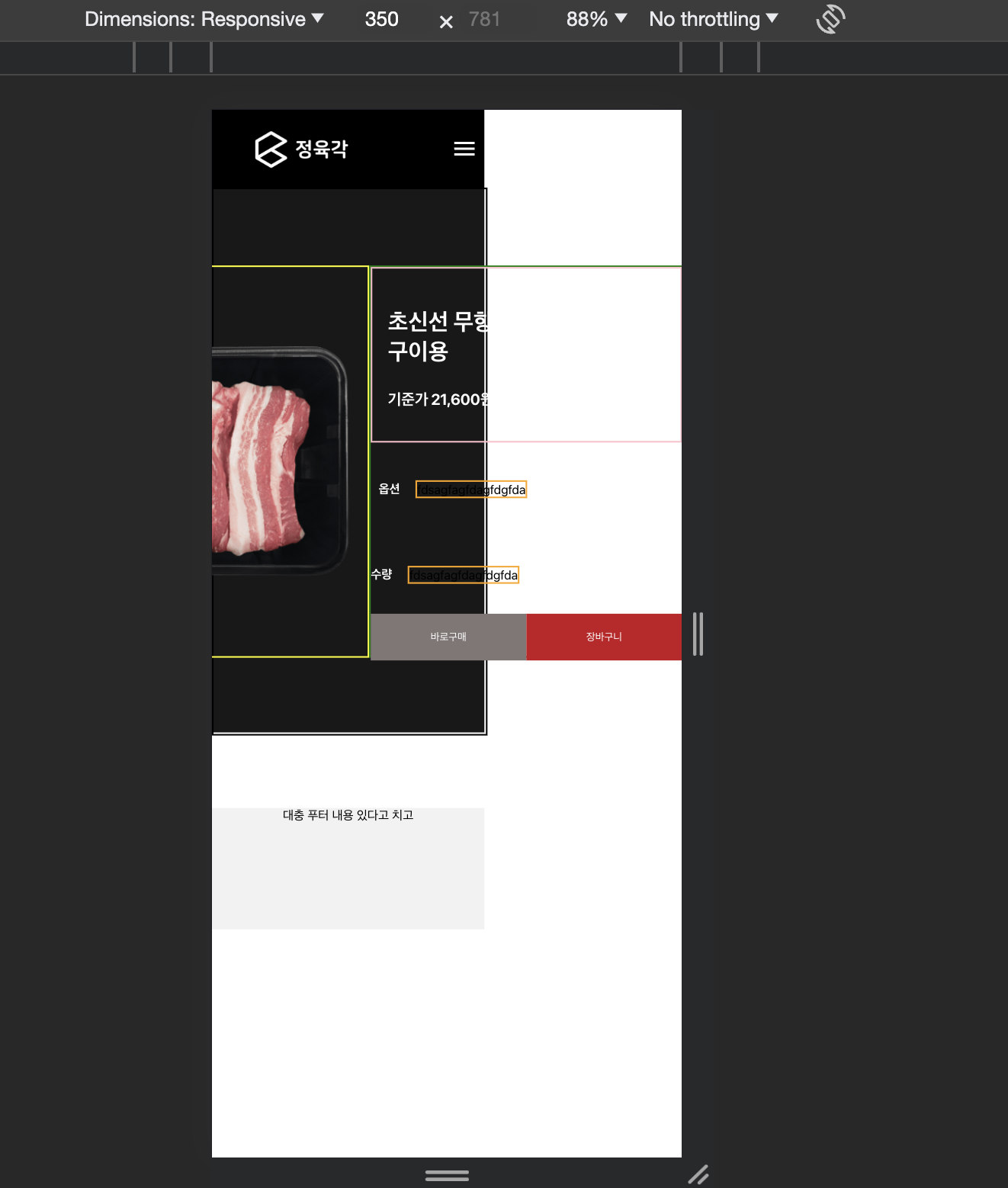
px(픽셀)과 같은 고정 단위를 쓰면 위와 같이 처참한 결과를 얻을 수 있다. 코드를 수정했다.
import React from "react";
import { useParams, useLocation, useNavigate } from "react-router-dom";
import styled from "@emotion/styled";
import { shoppingData } from "../data/ShoppingCategory_Pork";
import ComponentWrapper from "../components/common/ComponentWrapper";
import { useSelector } from "react-redux";

const ProductDetailPageBackgroundStyle = styled.div`
  background-color: #181818;
  width: 100%;
  /* height: 100vh; */
`;

const AllContentWrapper = styled.div`
  display: flex;
  justify-content: center;
  align-items: center;
  width: 100%;
  height: 100vh;
  /* flex-grow: 1; */
  /* background-color: white; */
  @media (max-width: 900px) {
    flex-wrap: wrap;
    column-gap: 20px;
  }
`;

const ProductDetailPageImgWrapper = styled.div`
  /* height: 70%;
  width: 50%; */
  display: flex;
  justify-content: center;
  align-items: center;
  background-color: white;
`;

const ProductImg = styled.img`
  width: 80%;
  height: 80%;
`;

const ProductDetailPageInfoWrapper = styled.div`
  /* width: 50%;
  height: 70%; */
  display: flex;
  flex-direction: column;
  background-color: blue;
`;

const ProductDetailPageInfoDataWrapper = styled.div`
  height: 30%;
`;

const InfoDataTitle = styled.p`
  font-size: 30px;
  color: white;
  font-weight: bolder;
`;

const InfoDataEtc = styled.p`
  font-size: 20px;
  color: white;
  font-weight: bolder;
`;

const OptionWrapper = styled.div`
  display: flex;
  align-items: center;
  column-gap: 20px;
  height: 20%;
  color: white;
`;

const AmountWrapper = styled.div`
  display: flex;
  align-items: center;
  column-gap: 20px;
  height: 20%;
  color: white;
`;

const ButtonWrapper = styled.div`
  width: 100%;
  background-color: orange;
  display: flex;
  height: 30%;
  justify-content: space-evenly;
  align-items: center;
`;

const ProductDetailPage = () => {
  const navigate = useNavigate();
  const { id } = useParams();
  const location = useLocation();
  const category = location?.state;
  const check = useSelector((state) => state.auth);
  console.log(check);

  const handleDirectClick = () => {
    if (check.isAuthenticated) {
      console.log("결제화면으로");
    } else {
      navigate("/login");
    }
  };

  const MapData = shoppingData[category];
  const DetailData = MapData.find((elem) => elem?.id === id);
  const ImgSrc = DetailData.image;

  console.log(location);
  console.log(DetailData);
  console.log(ImgSrc);

  return (
    <>
      <ProductDetailPageBackgroundStyle>
        {/*  */}
        <ComponentWrapper style={{ height: "100%" }}>
          <AllContentWrapper>
            {/* image area */}
            <ProductDetailPageImgWrapper>
              <ProductImg src={ImgSrc} />
            </ProductDetailPageImgWrapper>
            {/* info area */}
            <ProductDetailPageInfoWrapper>
              <ProductDetailPageInfoDataWrapper>
                <InfoDataTitle>{DetailData?.subtitle}</InfoDataTitle>
                <InfoDataEtc>
                  {DetailData?.price} ({DetailData?.weight})
                </InfoDataEtc>
                <p></p>
              </ProductDetailPageInfoDataWrapper>

              <OptionWrapper>
                <span style={{ color: "white", fontWeight: "bolder" }}>
                  옵션
                </span>
                <div style={{ border: "2px solid orange" }}>
                  fdsagfagfdagfdgfda
                </div>
              </OptionWrapper>
              <AmountWrapper>
                <span style={{ color: "white", fontWeight: "bolder" }}>
                  수량
                </span>
                <div style={{ border: "2px solid orange" }}>
                  fdsagfagfdagfdgfda
                </div>
              </AmountWrapper>

              <ButtonWrapper>
                <button
                  style={{
                    backgroundColor: "#7f7776",
                    color: "white",
                    width: "200px",
                    height: "60px",
                    border: "none",
                  }}
                  onClick={handleDirectClick}
                >
                  바로구매
                </button>
                <button
                  style={{
                    backgroundColor: "#c50f22",
                    color: "white",
                    width: "200px",
                    height: "60px",
                    border: "none",
                  }}
                >
                  장바구니
                </button>
              </ButtonWrapper>
            </ProductDetailPageInfoWrapper>
          </AllContentWrapper>
        </ComponentWrapper>
      </ProductDetailPageBackgroundStyle>
    </>
  );
};

export default ProductDetailPage;
수정 후 모습 🟢
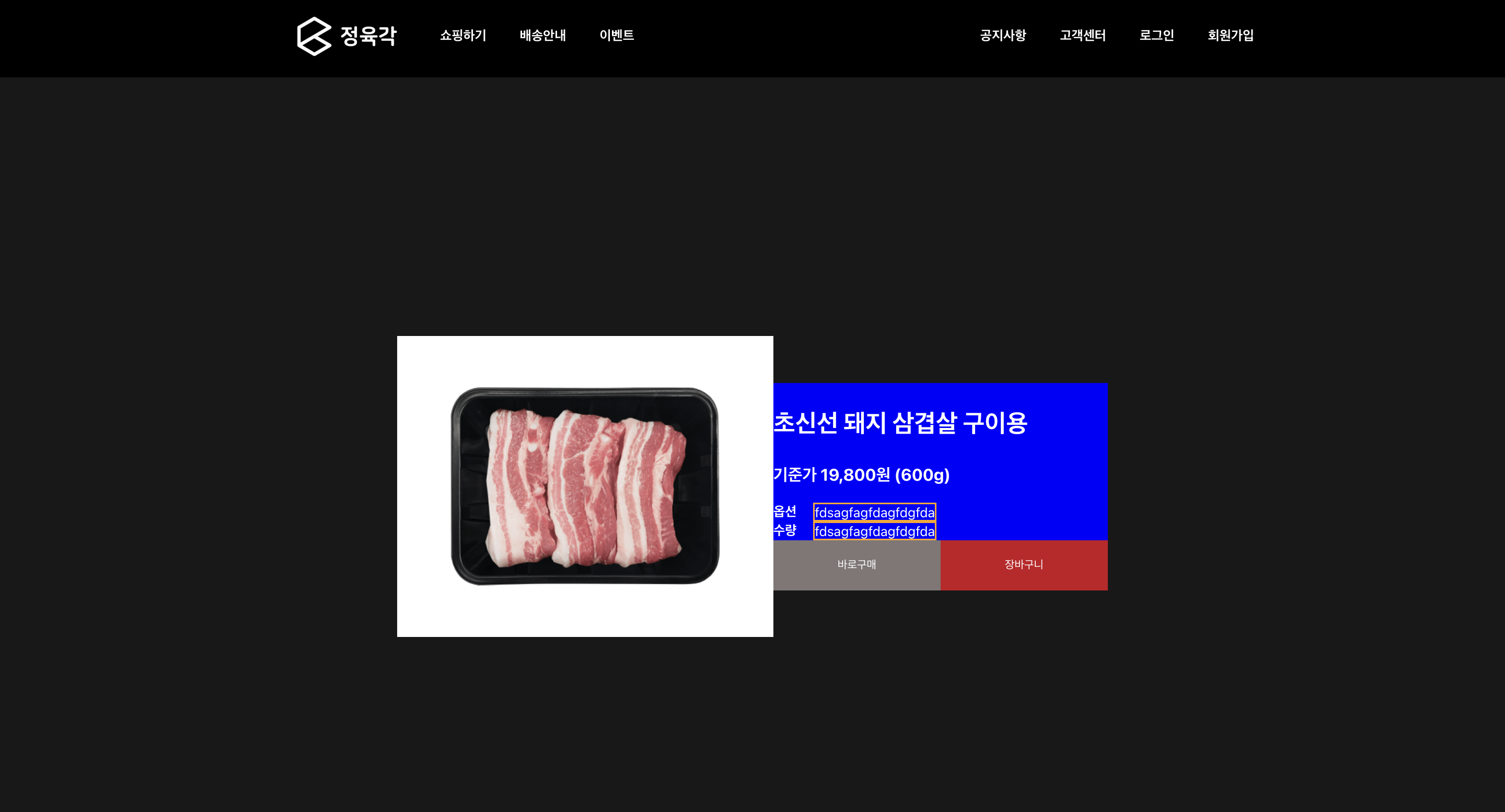
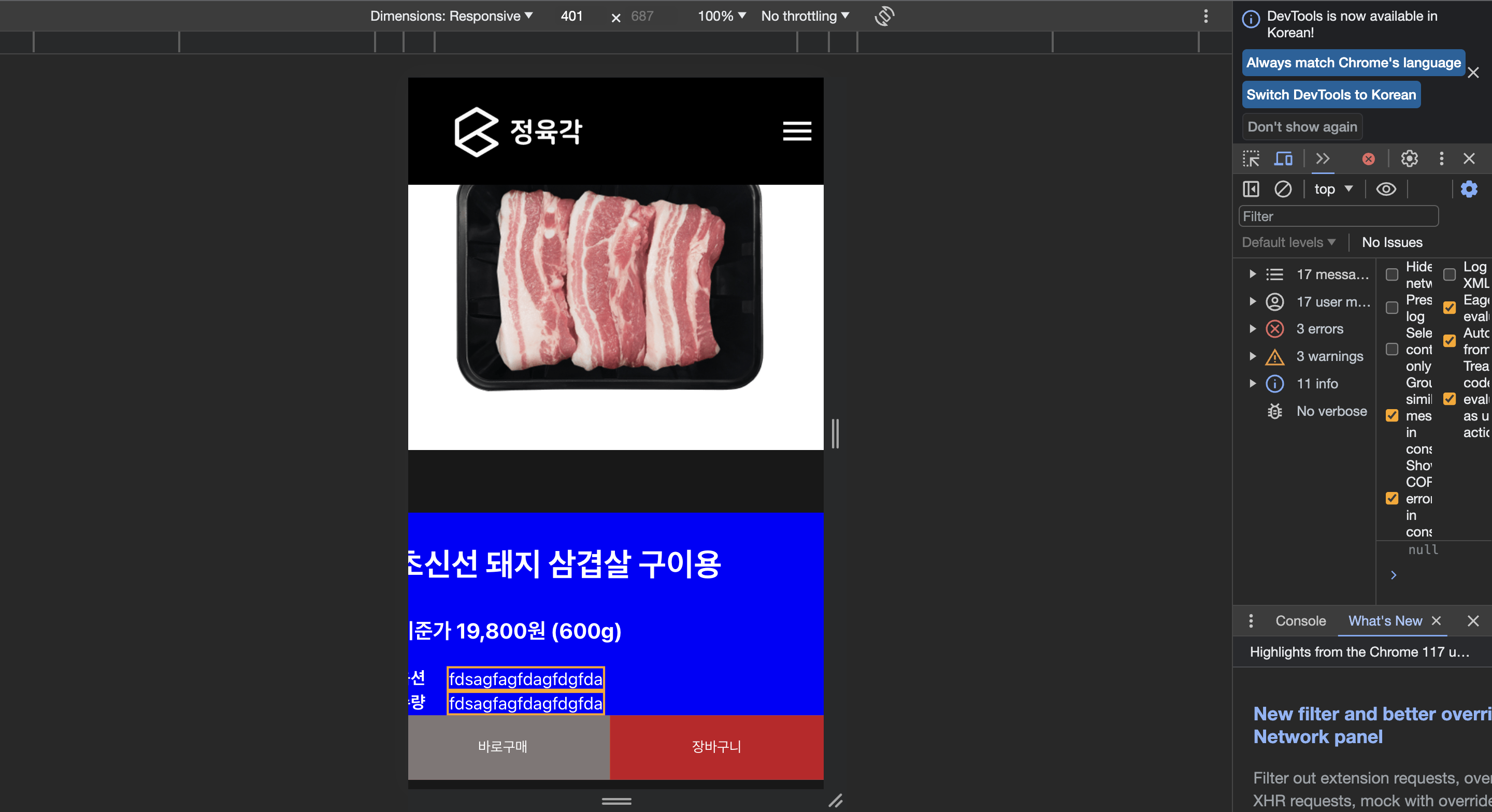
코드에 대한 설명이 필요한데, 오늘은 도저히 힘이 나지 않는다. handleDirectClick 함수를 통해, 로그인이 되어 있지 않다면 login page로 이동하도록 설정했다.
회고 🟢
1) 상대적인 단위를 써야 봉변을 면할 수 있다는 점을 깨달았다. 2) 1번은 사실 이미 알고 있었는데, container 단위로 상대 단위를 써야 함을 다시금 깨달았다. 3) 문제는 2번에서 느낀 점이 맞는 것인지 의문이다. 4) 그래도 대강 구조를 잡았으니, 장바구니를 슬슬 만들도록 하자.
More to read
프론트엔드와 백엔드 사이
HTTP 상태 코드는 프론트엔드에서 백엔드로 보냈던 요청의 수행 결과를 의미하는 일종의 약속이며, API를 구성하는 핵심 요소 중 하나입니다. 상태 코드와 관련하여, 백엔드는 잘 모르는 프론트엔드의 슬픈 사정이 있습니다.아래는 요청이 실패했음에도, 백엔드에서 상태 코드
JWT토큰 관리 방식 톺아보기
0. 들어가며 🎯 서비스에 접근하려는 사용자가 누구인지 확인하는 과정을 사용자 인증이라고 합니다. 인증된 사용자에게 주어진 권한을 확인하는 작업은 인가라고 부릅니다. 이번 글에서는 인가는 다루지 않습니다. 사용자 인증에는 많은 방식이 있지만, 오늘은 세션 인증 방
A2AA2A / MCP 멀티 에이전트 오케스트레이션
0. 들어가며 ✍️ Google for Developers에, 레스토랑 공급망 시나리오로 엮은 6대 프로토콜(MCP, A2A, UCP, AP2, A2UI, AG-UI)에 대한 가이드가 게시된 이후, MCP와 A2A부터 구현해 보는 것이 좋을 것 같다는 생각이 들었습니