[TIL/Coin Site Project] 2024/01/09
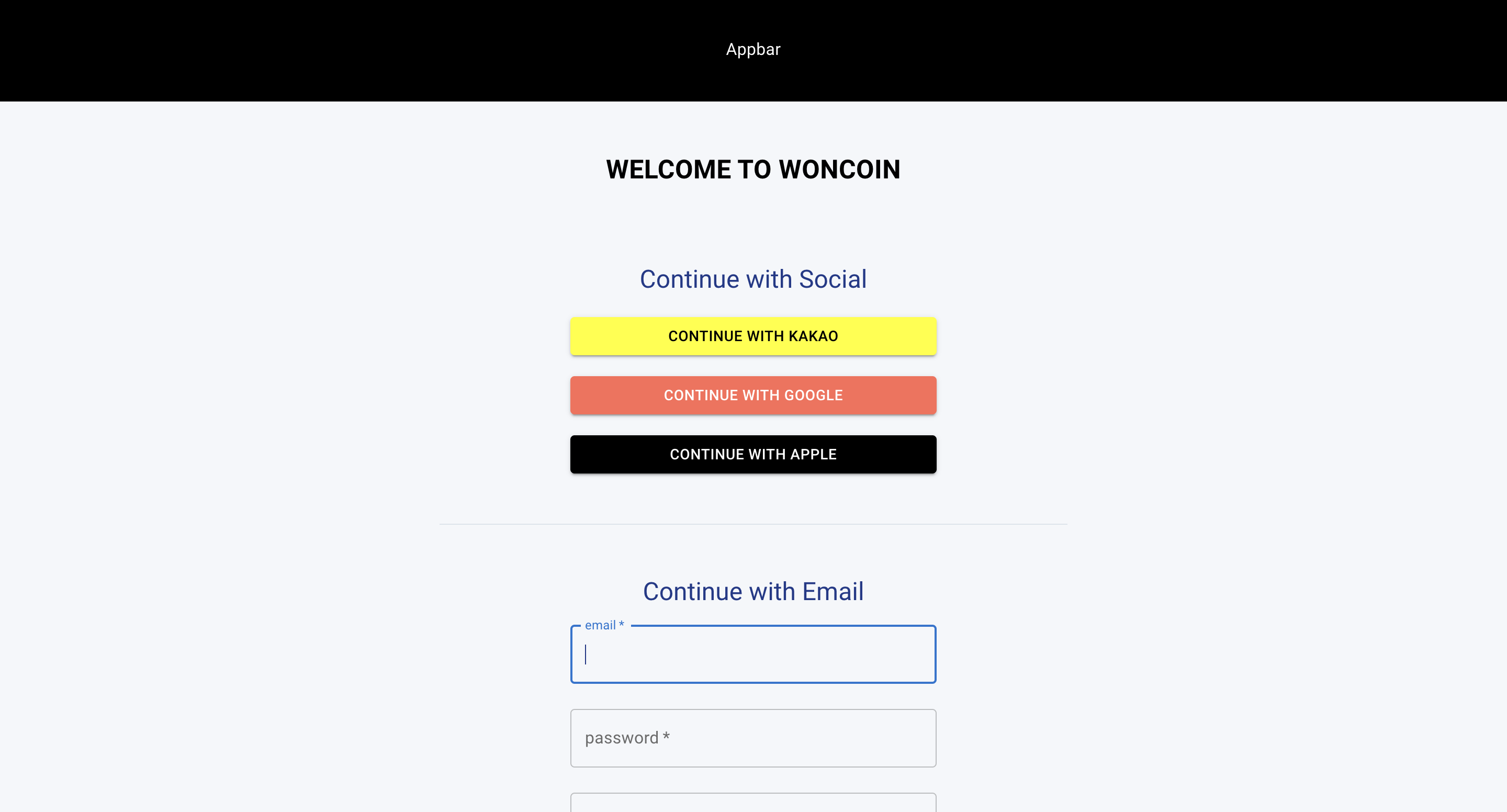
✅ 개요Signup Page에 대한 기본적인 layout을 잡았다. Signup Page는 PageContainer와 ComponentWrapper를 차치하고, 총 5개의 파트로 구분된다. ✅ part 1: main titleBox 태그는, main title에 대한
✅ 개요
Signup Page에 대한 기본적인 layout을 잡았다.
Signup Page는 PageContainer와 ComponentWrapper를 차치하고, 총 5개의 파트로 구분된다.
✅ part 1: main title
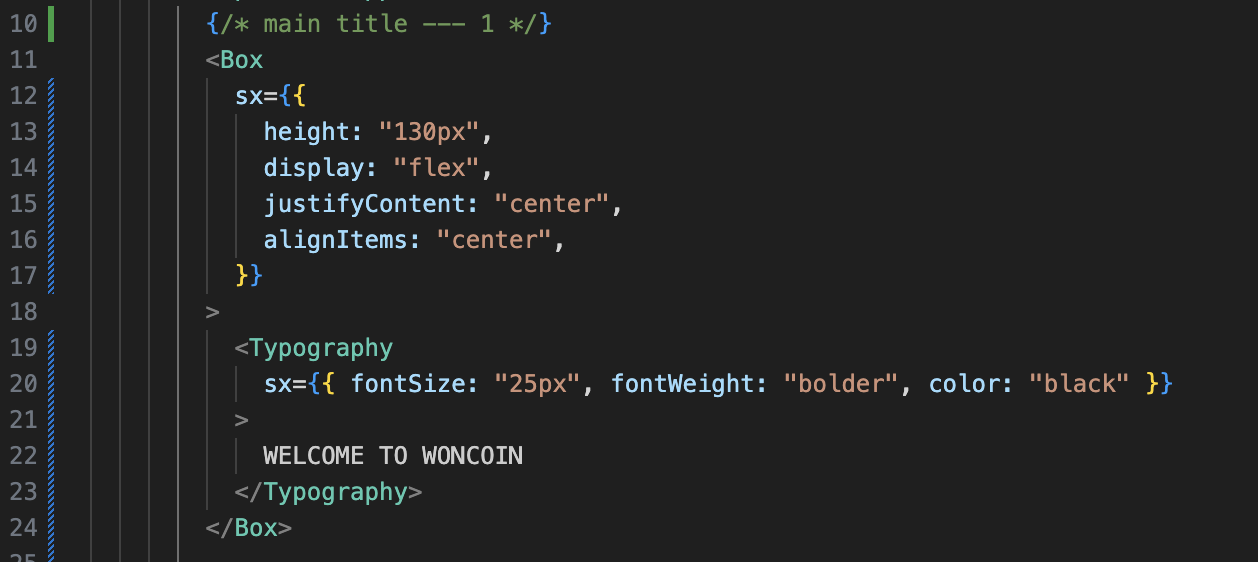
Box 태그는, main title에 대한 위치 조정의 권한을 갖고 있다. 그 목적에 맞게 Typography를 가운데로 조정하고 있다. 말 그대로 title을 꾸몄을 뿐이다. 다만, 현재 상태에서 title은 곧 로고를 의미하기에, 공통 컴포넌트(=Logo.jsx)로 분리할 필요성은 남아 있음을 인지해야겠다.
✅ part 2: continue with social
{/* continue with social --- 2 */}
        <Box mt={3} mb={6}>
          <Typography variant="h5" sx={{ textAlign: "center" }}>
            Continue with Social
          </Typography>
          <Box
            sx={{
              display: "flex",
              flexDirection: "column",
              alignItems: "center",
            }}
          >
            <Button
              type="submit"
              variant="contained"
              sx={{
                marginTop: "20px",
                width: "350px",
                bgcolor: "yellow",
                color: "black",
              }}
            >
              Continue with Kakao
            </Button>
            <Button
              type="submit"
              variant="contained"
              sx={{
                marginTop: "20px",
                width: "350px",
                color: "white",
                bgcolor: "#fe6b57",
              }}
            >
              Continue with Google
            </Button>
            <Button
              type="submit"
              variant="contained"
              sx={{
                marginTop: "20px",
                width: "350px",
                bgcolor: "black",
                color: "white",
              }}
            >
              Continue with Apple
            </Button>
          </Box>
        </Box>
코드에서 가장 상위에 위치한 Box는 margin을 조정하고 있다. mt는 marginTop, mb는 marginBottom을 의미하는데 필요에 맞게 수치를 설정한 모습이다.
Typography를 통해 해당 레이아웃이 Social Signup에 관한 내용을 담고 있음을 사용자에게 제시하고 있다.
해당 파트에서 중요한 점은, Kakao와 Google 그리고 Apple 버튼에 동일한 내용의 코드가 반복되고 있다는 점이다. 공통 컴포넌트로 분리해야 할 필요성이 팍팍 느껴진다. 추가적으로, 반응형의 최소단위인 iPhone SE의 width가 375px 임을 고려하여, 각각의 버튼의 width는 350px로 고정했다. 고민이 결여된 성실함은 무익한 것을 넘어 유해하기까지 하다. ~~개발에 있어서는~~
✅ part 3: divider
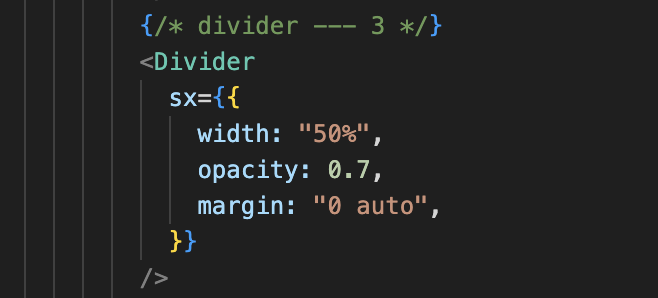
social Signup과 email Signup의 내용이 전환되는 부분에 구분선이 있으면 시각적으로 좋겠다는 생각을 했다.
✅ part 4: continue with email
{/* continue with email --- 4 */}
        <Box mt={6} mb={6}>
          <Typography variant="h5" sx={{ textAlign: "center" }}>
            Continue with Email
          </Typography>
          <Box
            sx={{
              display: "flex",
              flexDirection: "column",
              alignItems: "center",
            }}
          >
            <TextField
              sx={{ width: "350px" }}
              margin="normal"
              variant="outlined"
              label="email"
              type="email"
              required
            />
            <TextField
              sx={{ width: "350px" }}
              margin="normal"
              variant="outlined"
              label="password"
              type="password"
              required
            />
            <TextField
              sx={{ width: "350px" }}
              margin="normal"
              variant="outlined"
              label="password check"
              type="password"
              required
            />
            <Button
              sx={{ width: "350px" }}
              type="submit"
              variant="contained"
              color="primary"
              fullWidth
              style={{ marginTop: "20px" }}
            >
              Sign up
            </Button>
          </Box>
        </Box>
social part에서 고민한 내용과 크게 다를 게 없기에 자세한 설명은 생략하도록 하겠다.
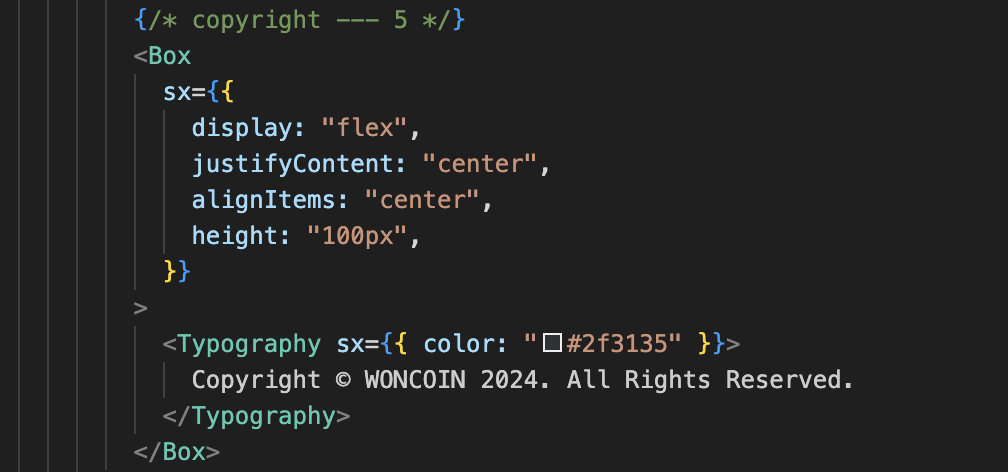
✅ part 5: copyright
✅ 현재 모습
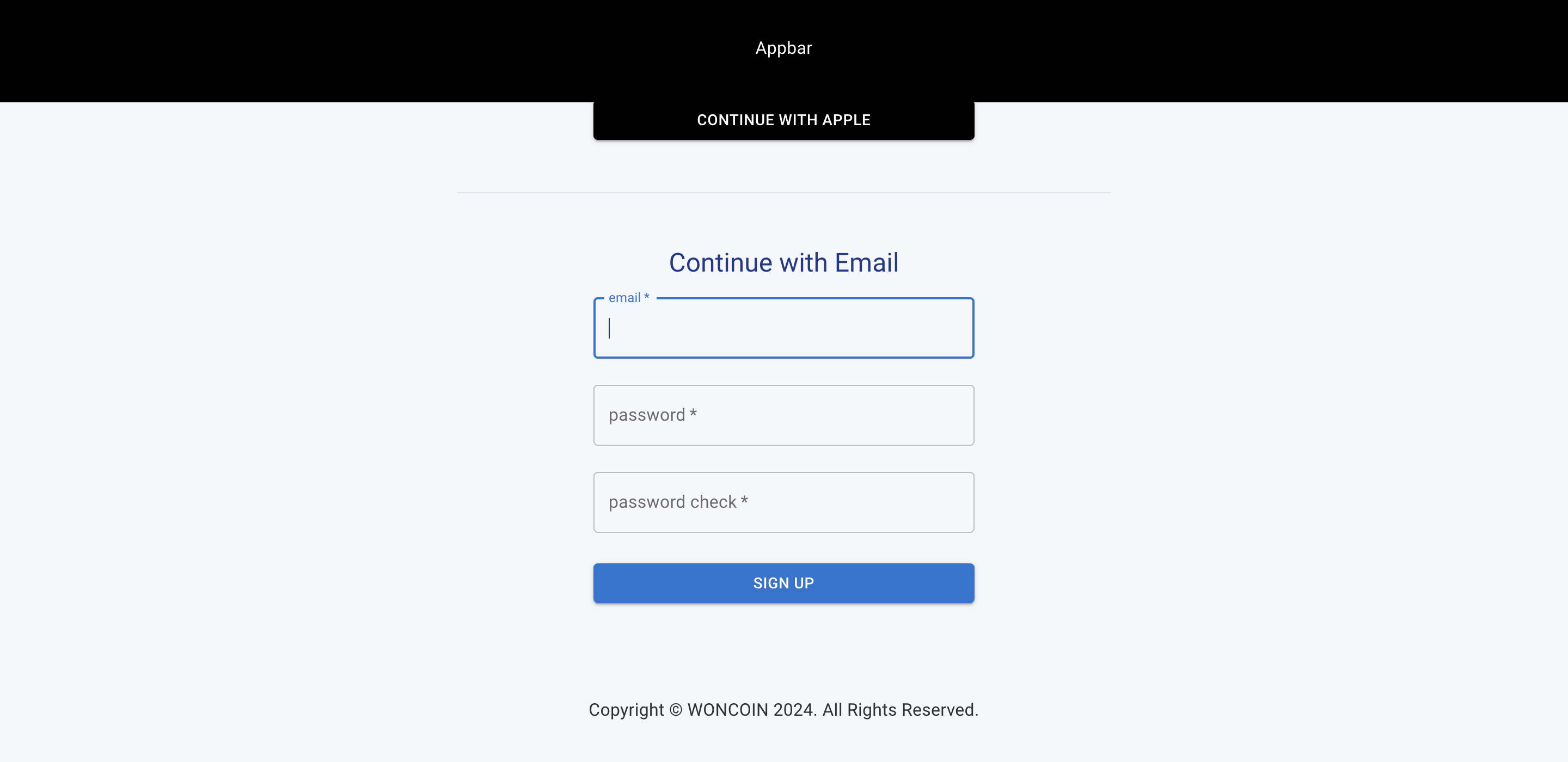
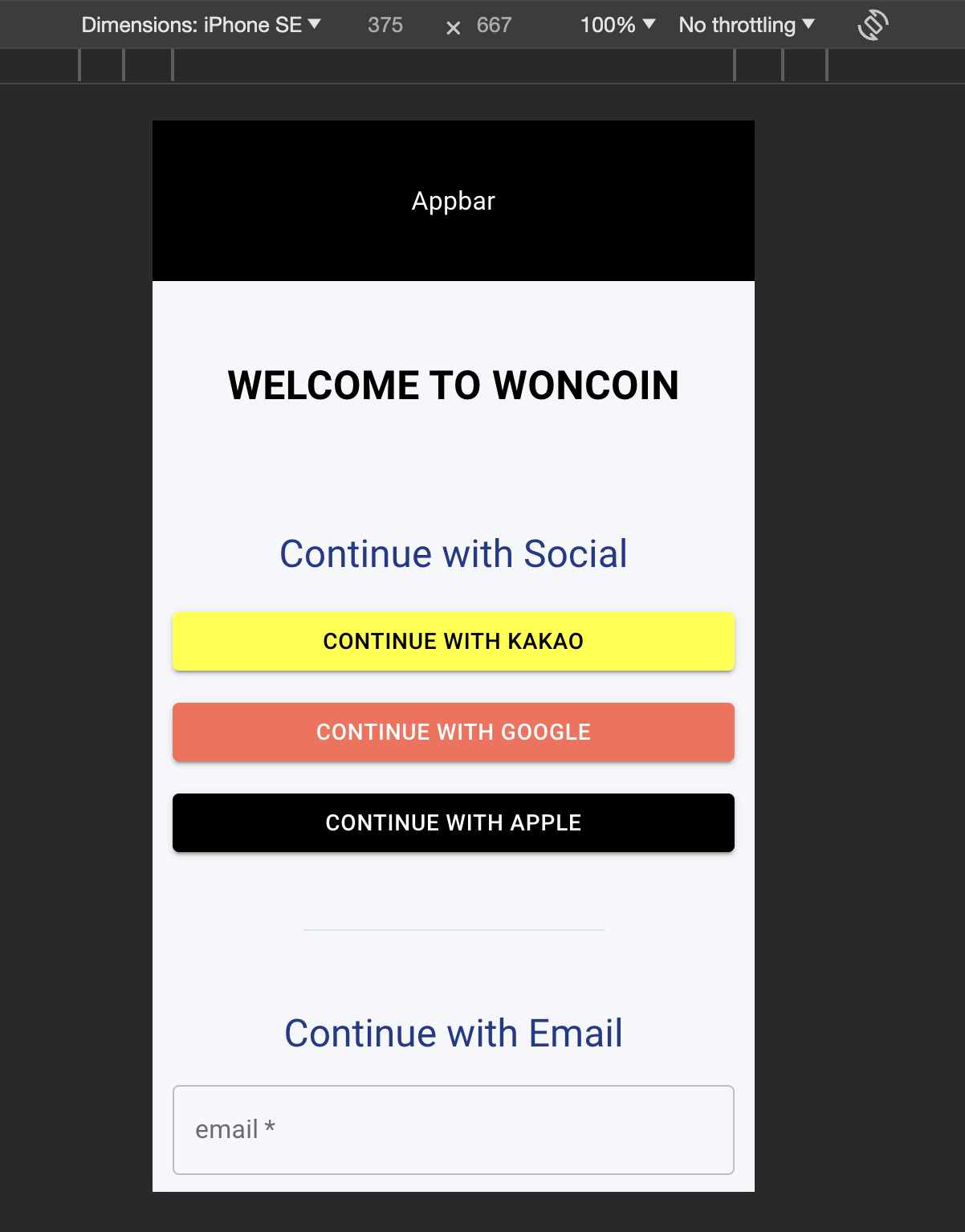
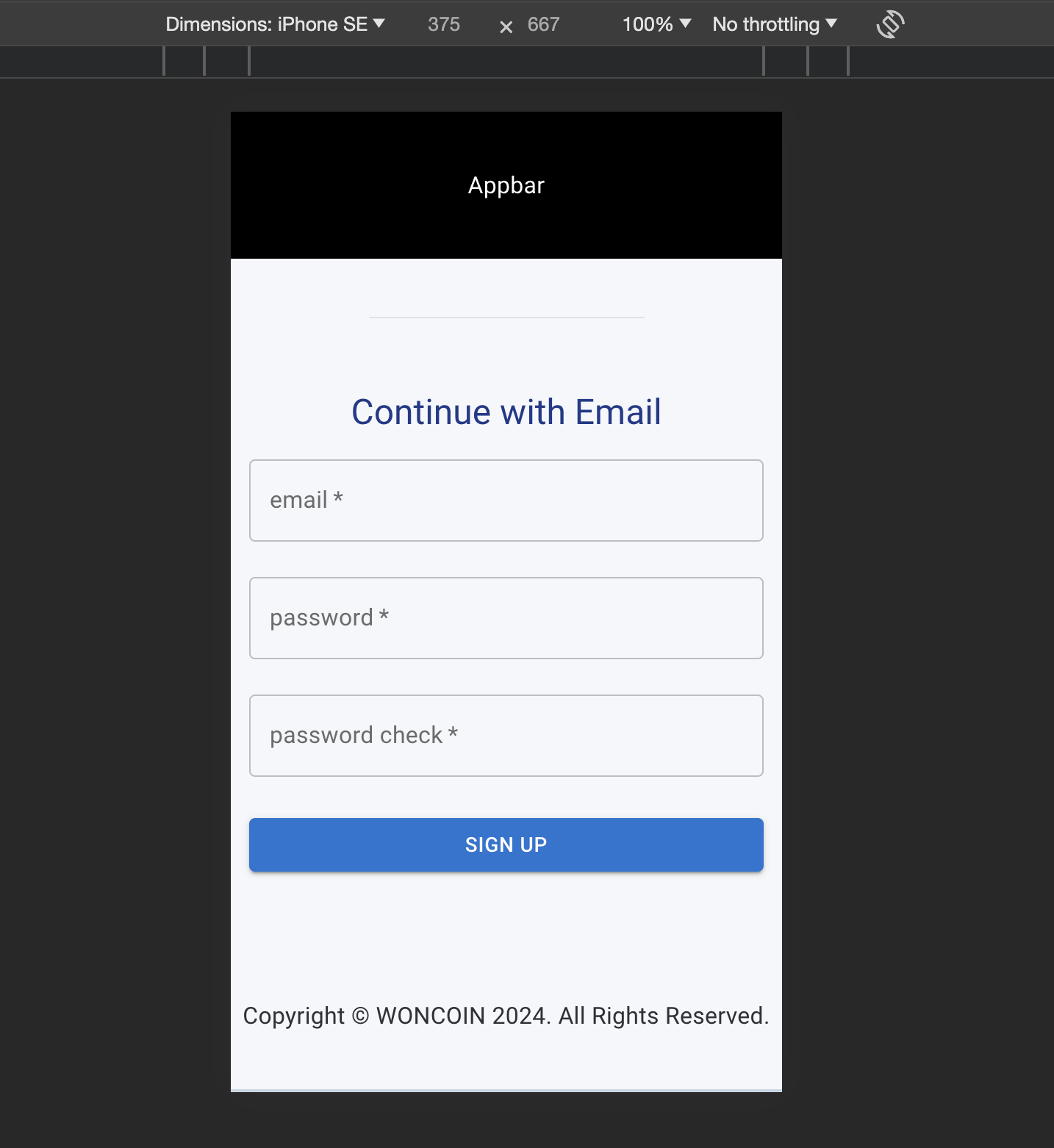
✅ 회고
노로바이러스를 조심하자!
More to read
프론트엔드와 백엔드 사이
HTTP 상태 코드는 프론트엔드에서 백엔드로 보냈던 요청의 수행 결과를 의미하는 일종의 약속이며, API를 구성하는 핵심 요소 중 하나입니다. 상태 코드와 관련하여, 백엔드는 잘 모르는 프론트엔드의 슬픈 사정이 있습니다.아래는 요청이 실패했음에도, 백엔드에서 상태 코드
JWT토큰 관리 방식 톺아보기
0. 들어가며 🎯 서비스에 접근하려는 사용자가 누구인지 확인하는 과정을 사용자 인증이라고 합니다. 인증된 사용자에게 주어진 권한을 확인하는 작업은 인가라고 부릅니다. 이번 글에서는 인가는 다루지 않습니다. 사용자 인증에는 많은 방식이 있지만, 오늘은 세션 인증 방
A2AA2A / MCP 멀티 에이전트 오케스트레이션
0. 들어가며 ✍️ Google for Developers에, 레스토랑 공급망 시나리오로 엮은 6대 프로토콜(MCP, A2A, UCP, AP2, A2UI, AG-UI)에 대한 가이드가 게시된 이후, MCP와 A2A부터 구현해 보는 것이 좋을 것 같다는 생각이 들었습니